How to Prioritise Customer Requests as an Independent Business
Learn how to triage and prioritise client requests by separating customer promises from internal task lists to keep follow-ups clear and reliable.
To prioritise customer requests in a small business, separate what you promised the client from your internal to-do list. Triage each inbound inquiry by business impact rather than incoming order, establish the next explicit action, and track the status of the commitment so follow-up communication never depends on memory.
Why client promises break down in your inbox
When you handle client intake, production work, and support on your own, an email inbox often doubles as an ad hoc queue. A single email thread blurs the line between personal notes, ongoing development, and the exact promise made to a client, leading to missed updates.
If you only receive one or two inquiries per week, marking an email unread or jotting a note on a notepad is often sufficient. However, as volume grows alongside active project work, personal task managers fail to distinguish between doing the work and confirming the result with the customer.
A four-step framework for managing client requests
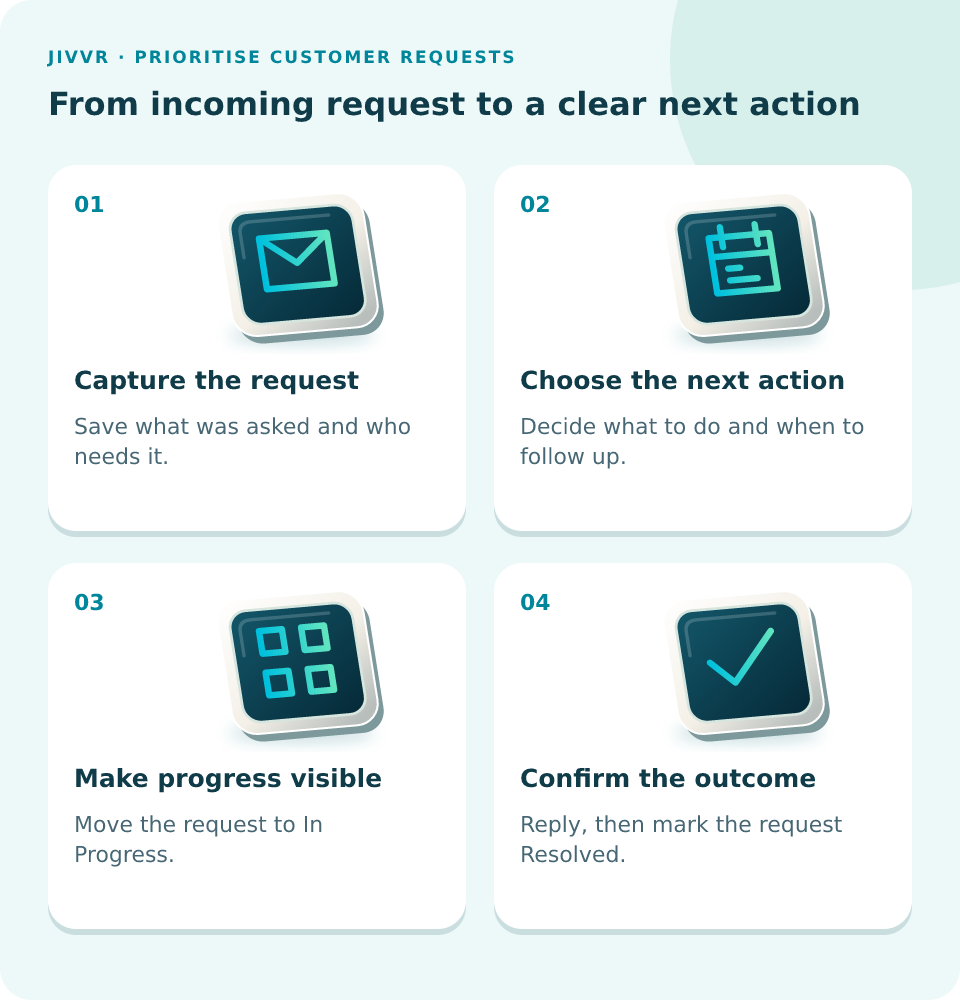
- Capture the request: Save what was asked and who needs it.
- Choose the next action: Decide what to do and when to follow up.
- Make progress visible: Move the request to In Progress.
- Confirm the outcome: Reply, then mark the request Resolved.
Worked example: Handling a routine website update
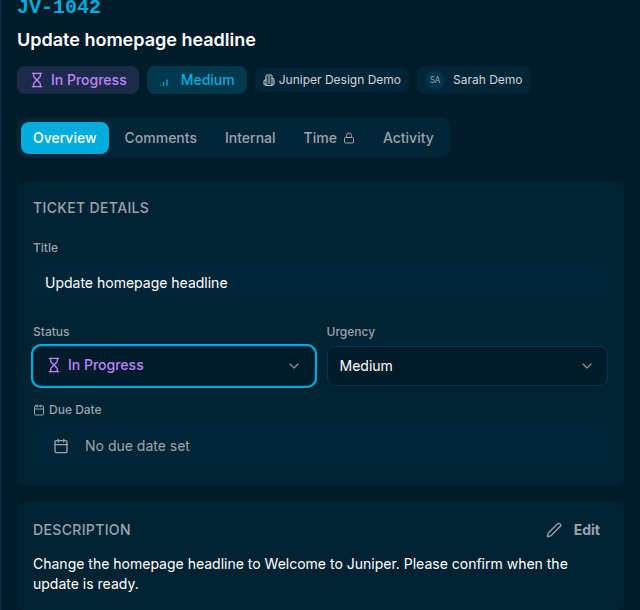
Consider Sarah Demo, an independent web designer operating Juniper Design Demo. A client, Jane Example, submits an inquiry: Update homepage headline. The brief asks to: Change the homepage headline to Welcome to Juniper. Please confirm when the update is ready.
Never assume a routine copy change requires immediate drop-everything urgency. Categorising this request with medium urgency keeps it properly balanced against broken links or server outages.
In Jivvr, the New Ticket form accepts the request title and description, recording the promise directly into the ticket workspace alongside other active work like 'Fix the contact form link', 'Adjust the mobile menu', and 'Replace the client logo'.
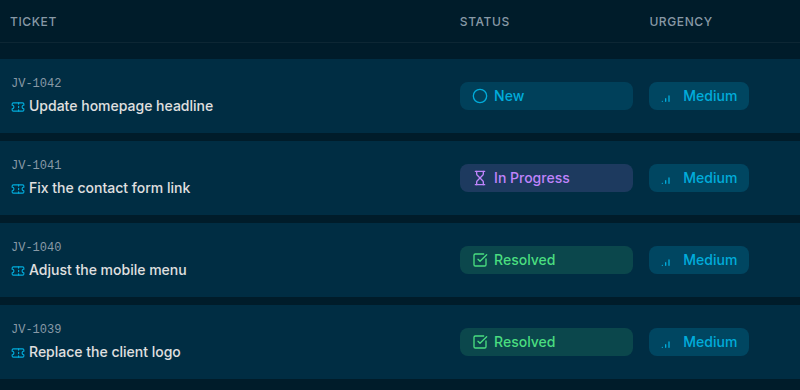
The shared ticket list provides visibility across all items, showing status, urgency, and assignee. Opening the ticket for Update homepage headline opens the ticket detail panel, allowing Sarah to update the status to In Progress while working on the layout.
After applying the site update, Sarah uses the detail panel to leave a note: 'Hi Jane, the headline is updated. Please check the homepage and let me know if anything needs adjusting.' She then updates the ticket state to Resolved. Adding a comment in the detail panel logs the step in Jivvr, though actual email delivery depends on having a configured recipient and using the send option.
Solo adaptations and queue discipline
Even without a support team to delegate to, keeping items organised under clear statuses—New, In Progress, and Resolved—prevents context-switching fatigue. You always know which tasks are waiting on your delivery versus which are waiting on customer feedback.
How to Prioritise Customer Requests as an Independent Business — walkthrough
A customer asks for a small change, then another call interrupts your day. The request slips down your inbox, and the customer is left waiting for an update. Let’s follow a homepage change in Jivvr, from the original request to a completed task, with the next step and customer follow-up kept together. Open the matching request in the ticket list and read the description, so you understand the customer’s requested headline change before you start working. Choose In Progress in the Status menu when you begin the work, so you can quickly see which requests are already being handled. After completing the work, open Comments and write a concrete update explaining the outcome and what the customer should check next. Choose Add Comment and check that the update appears in the conversation, keeping the result beside the original request rather than only in your memory. Return to Overview and choose Resolved when the request has been handled, so a later review can distinguish this work from requests still in progress. Check the saved status and the comment together, then decide whether a separate customer message or another follow-up is needed for this particular request. A finished task still needs a clear customer update. Before moving on, check that the customer knows what changed and whether you need anything else from them. Start with one real request in your own workspace, keep its next action clear, and close the loop with the customer when the work is complete.