Keep the context
Bring the request and its details into one ticket.
The Jivvr workspace
Capture the issue, give it an owner and keep the work moving. A free ticket workspace to start. More ways to work when you need them.
Start your workspace Take a look inside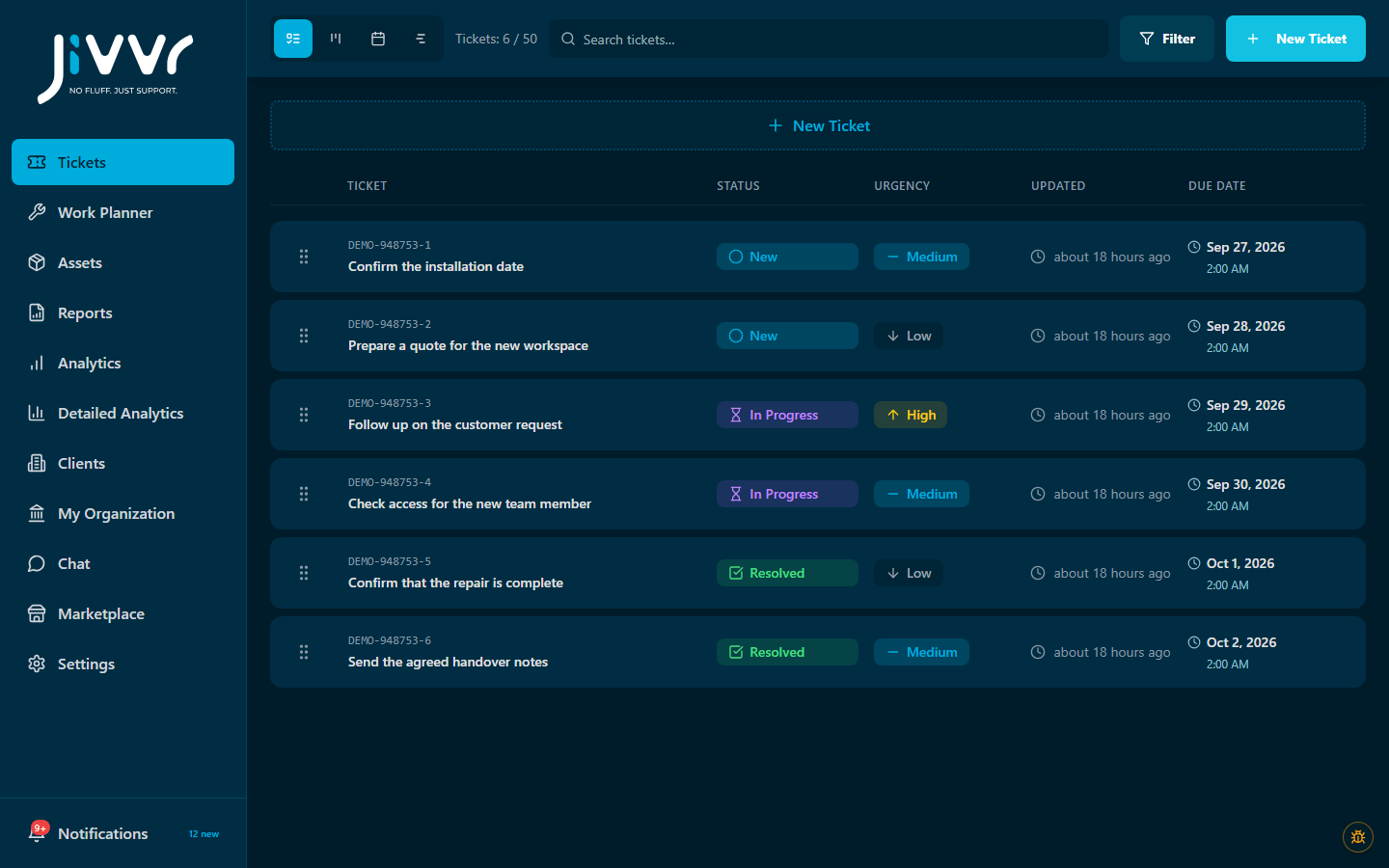
Popular add-on · Jivvr AI Autopilot
Answer questions, move tickets forward and resolve routine requests automatically. Your team steps in when human help is needed.
Meet AI Autopilot Watch the walkthrough
Included in the ticket core
Bring the request and its details into one ticket.
Choose who is handling the request and what needs attention.
Use status and urgency to understand what needs to move.
Your workspace, up close
Support is where it starts. Add views, equipment context and planning when your workflow asks for more.
Status, urgency and ownership stay with the request. One place to pick things up, without picking through everything.
Free ticket coreGive the queue a different perspective. See tickets grouped by status and follow the work across your board.
Board Views Pack · paid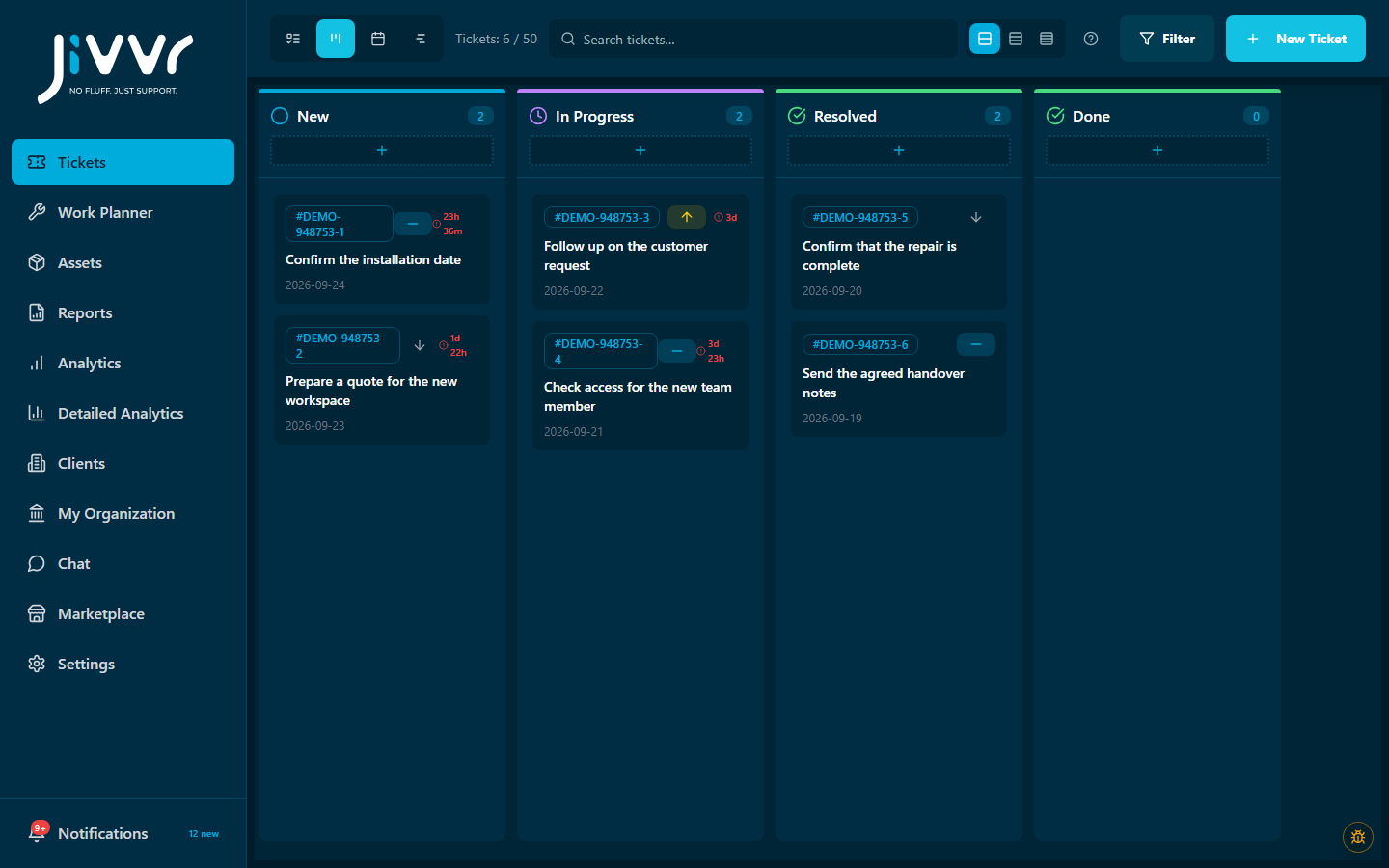
Keep equipment records close to the support work. Give the next repair a little more context.
Asset Management · paid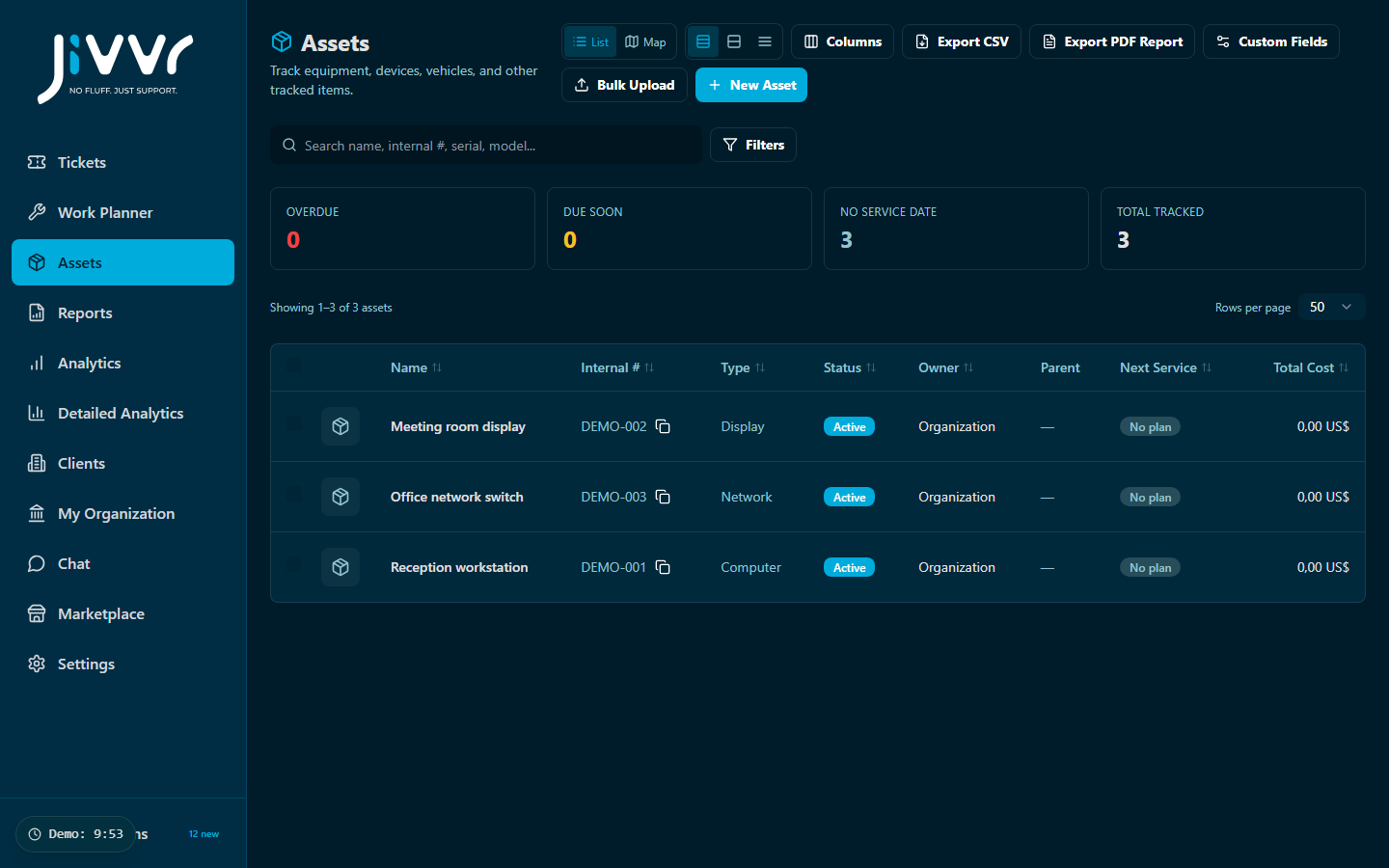
Put the work into a schedule. A clearer picture of what needs doing, and when.
Work Planner Pro · paid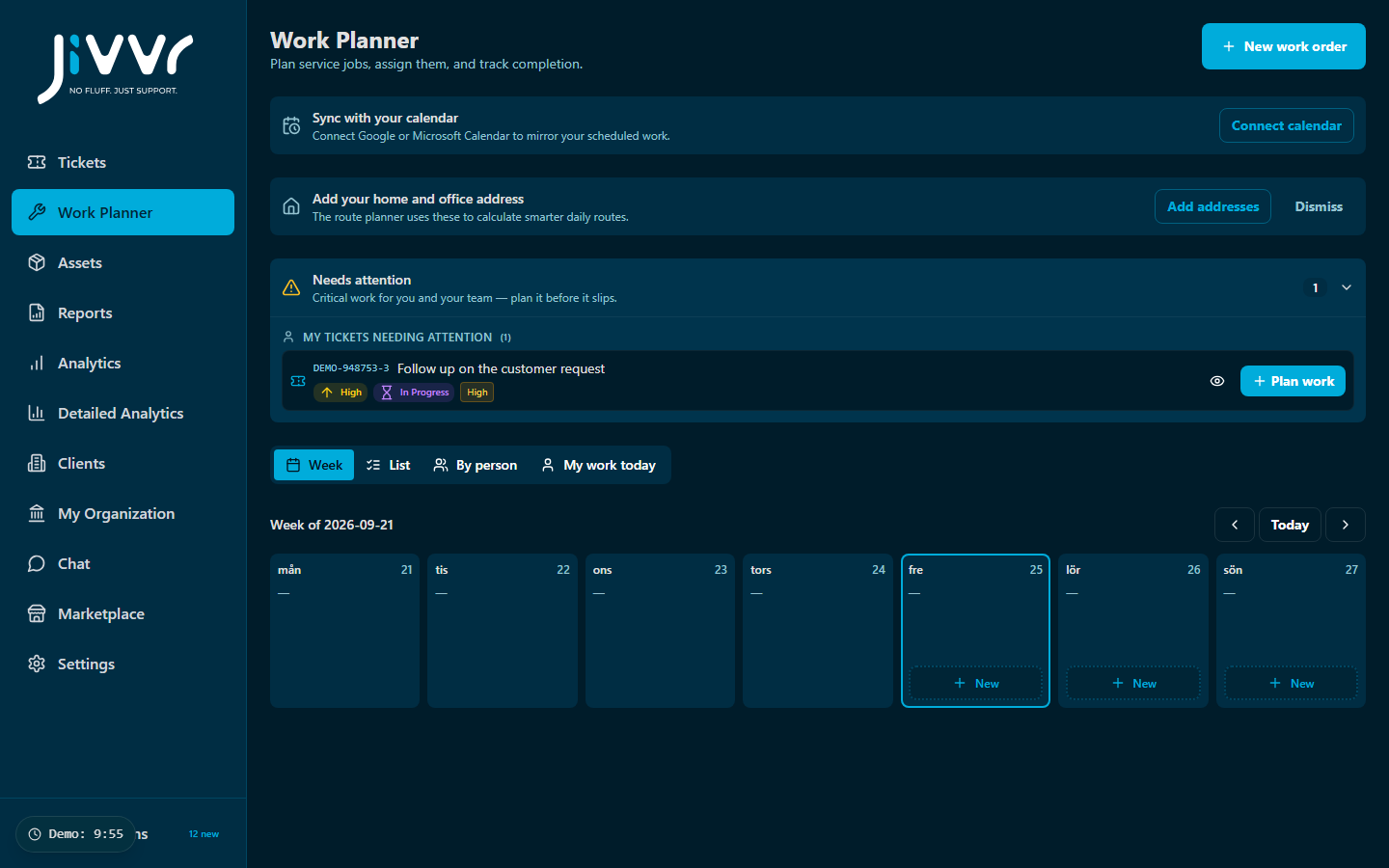
01 / From request to resolution
A request comes in. Someone picks it up. The work moves forward. The loop closes.
Put the request and its context in a ticket.
Choose status, urgency and who is handling it.
Pick up the work and keep its progress in view.
Complete the work and update its status.
Optional · Asset Management
Give your equipment a home too. Keep asset details close at hand when the next request needs a little more context.
Explore Asset ManagementOptional · Work Planner Pro
Put the work into a schedule you can see. Add planning when the day calls for more than a queue.
Explore Work Planner03 / Room to move
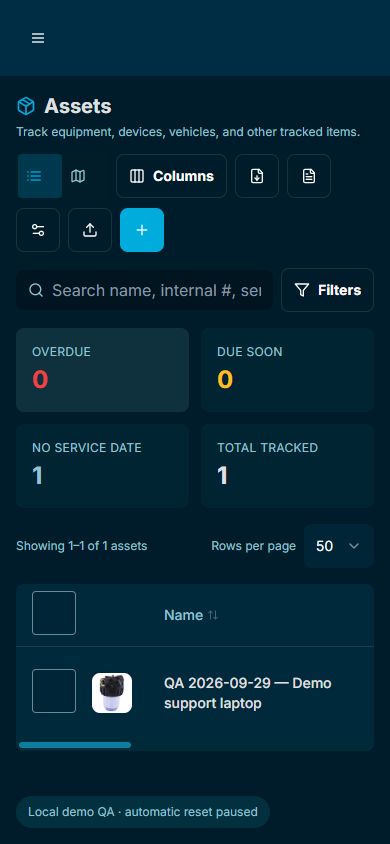
At your desk. Between jobs. Out with the equipment. Keep the details close, on the screen that’s with you.
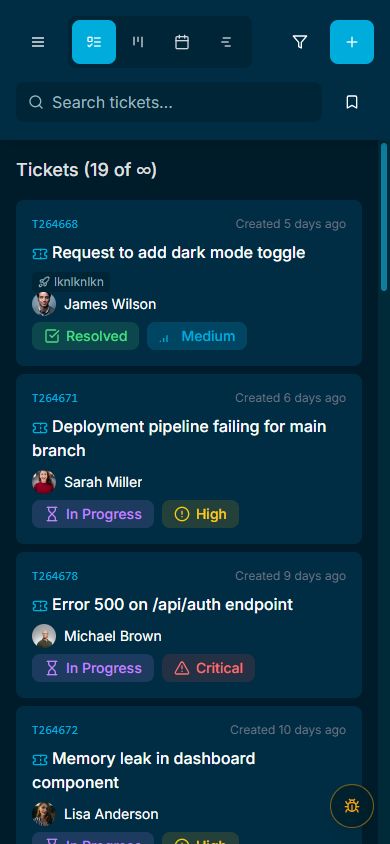
Keep the next request within reach.
Bring the equipment details along.
Keep the tools you love
Jivvr isn’t trying to replace your email, CRM, or project management tool. It does one thing really well: help you manage customer support tickets. Use it alongside the tools you already love.
The ticket core is your starting point. Views, asset management, planning and other optional capabilities are available as add-ons.
Choose the capability that solves your next problem. Review current availability and pricing in the marketplace before activating.
A little less chasing starts here
Start with a free ticket workspace. Add the first tool that earns its place in your day.
Let’s get things moving Find my first add-on