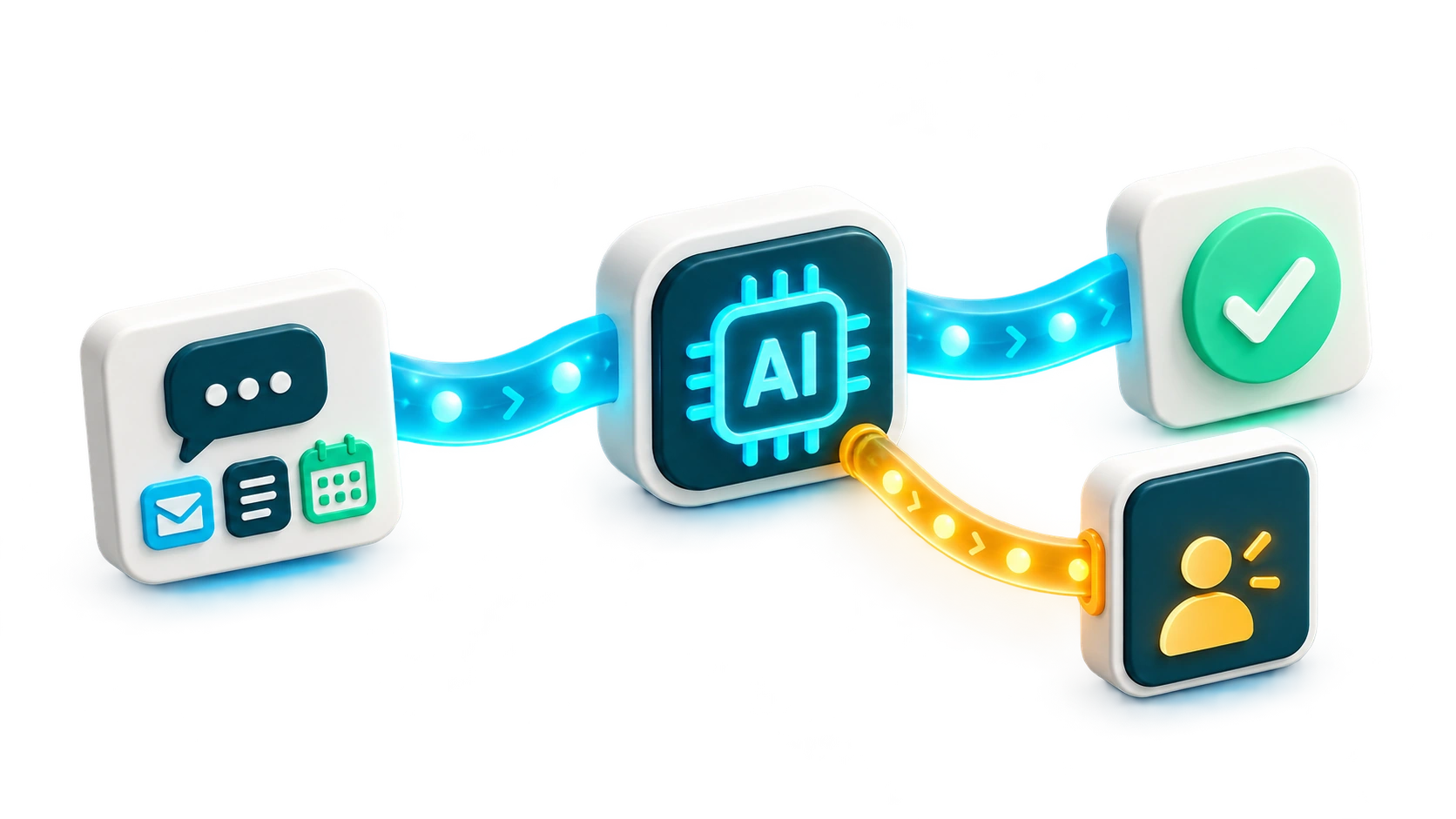
Give routine support a clear path from the first question to resolution. AI Autopilot combines AI chat with ticket handling, using your approved knowledge and procedures. It can gather missing details, send replies and resolve eligible requests. Your team handles exceptions with the conversation and action history close at hand.
AI ticket automation: from customer need to action
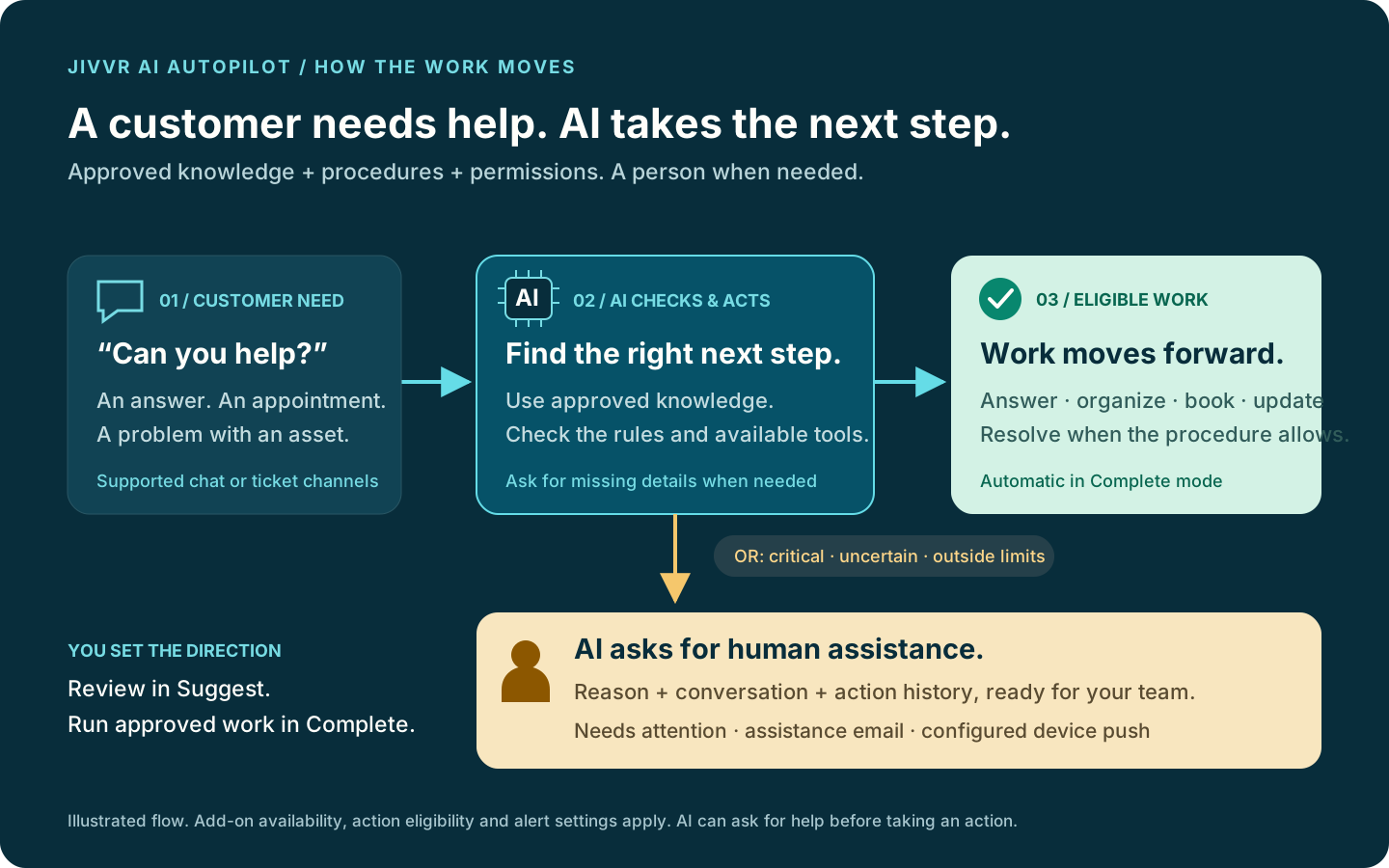
A customer needs an answer, an appointment or help with equipment. AI Autopilot checks your approved knowledge, procedures, permissions and enabled tools. It can ask for missing information before choosing an action. An eligible answer moves a new ticket to In Progress. A clear closing acknowledgement such as “ok thank you” can resolve an eligible ticket in Complete mode, without an endless courtesy-reply loop. Critical requests, uncertainty and exhausted AI allowances go to staff.
SLA escalation and urgent support
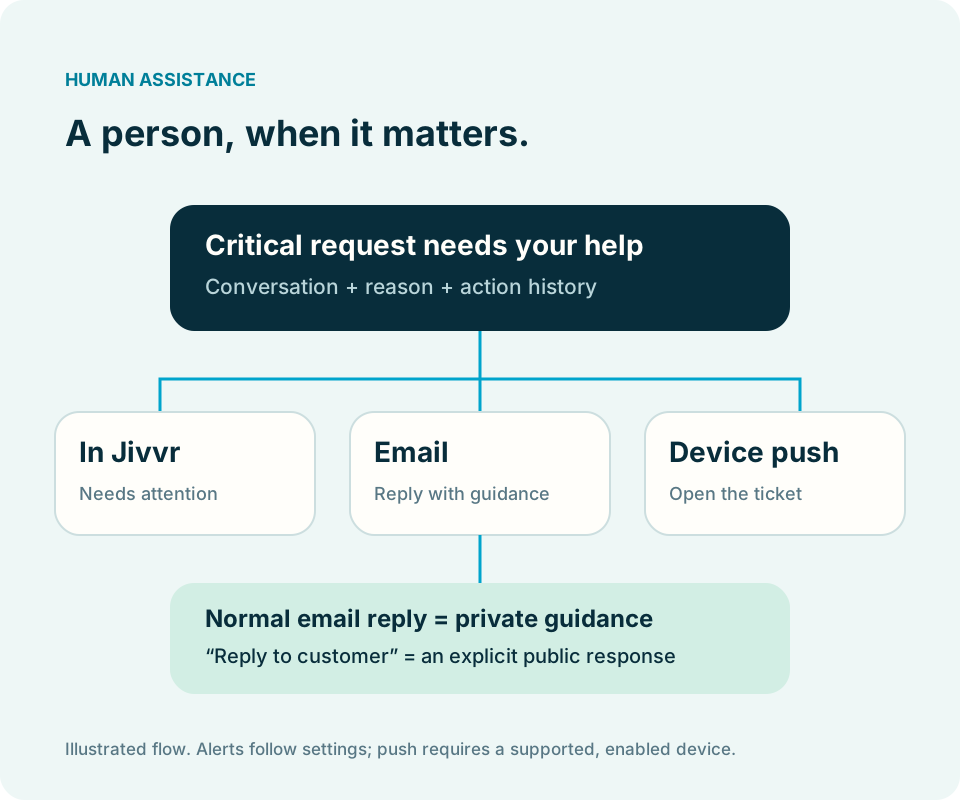
With the SLA add-on enabled, you can configure a handoff when Jivvr records a first-response or resolution SLA breach. Critical requests can also be handed to a person immediately. The request appears in Needs attention with its reason, conversation and action history. Assistance emails and device push follow your settings. A customer reply does not reset the first-response SLA clock.
This helps your team focus on urgent work and reduce avoidable waiting. It does not guarantee an SLA target or predict a future breach. Compare response times, resolution times and recorded breaches in your enabled reporting tools to assess the result.
Appointment scheduling with Work Planner
An approved scheduling procedure can define the staff member, appointment length and booking window. For example: a thirty-minute phone appointment within the next seven days, after the customer agrees. AI Autopilot checks agreement and calendar availability before reserving an eligible slot, then confirms the actual booking. A missing calendar connection or unavailable slot brings a person in. Work Planner is required; a phone appointment is not an onsite visit.
Asset actions that stay connected to the ticket
With Asset Management enabled, a procedure can allow an eligible faulty asset linked to the ticket to be marked In Repair. AI Autopilot checks the linked asset and permitted status change in the same workspace. An ambiguous asset needs clarification; retired, lost or sold assets are not casually put back into service. The recorded update is an asset status change, not a claim that physical repair work has happened.
Categories and a clearer queue
When Categories is enabled and the procedure permits it, AI Autopilot can categorize eligible requests using available categories. Chat intake and ticket handling use the same approved workflow, so context follows the request instead of starting over at each handoff.
Analytics: activity first, estimates second
Analytics shows tickets handled, automatic actions, reviewed actions, resolutions, tickets needing help and staff interventions. Detailed Analytics adds a breakdown by action. These are committed actions, not speculative AI proposals. Test tickets are excluded.
Estimated time savings appear only after a manager sets manual time per action in AI Autopilot Setup. The saved baseline applies to later automatic actions. Reviewed actions are excluded, and estimates do not subtract time spent giving staff guidance. They describe estimated manual effort avoided, not measured working hours, billable time or a promised improvement. Compare periods and outcomes alongside the estimates.
Getting started
- Activate AI Autopilot for your workspace and prepare approved knowledge and procedures.
- Choose an escalation owner and configure assistance emails. Enable push on each device that should receive alerts.
- Enable AI on the intended Base Chat instances. Test ticket procedures in Suggest mode, then switch approved procedures to Complete mode.
- Review activity, exceptions and shared AI usage. Configure time baselines before showing estimated savings in Analytics.
Choosing the right add-on
AI Autopilot starts at USD $40.83 per month, billed yearly at $490 per workspace, before applicable tax. Month-to-month billing is $49. Annual billing saves $98 compared with twelve monthly payments. Both plans include a fresh allowance each paid month: 250 distinct requests and up to 10 million input/output tokens, subject to an independent AI spending safeguard. A linked chat and ticket count as one request. Follow-up AI steps still use tokens. Unused allowance does not roll over.
Base Chat is required for chat AI. Categories, Work Planner, Asset Management, SLA, Analytics and Detailed Analytics extend the workflow when their respective add-ons are enabled. AI Autopilot does not include those subscriptions. Agreed appointments and linked asset updates must also fit the procedure you approved.
Human help, without constant checking
In Complete mode, eligible actions run without an approval click. When assistance is needed, the request stays in Needs attention. Email and device push follow your settings. Reply normally to an assistance email to give private guidance; use its explicit Reply to customer action for a public reply. Push requires a supported device, permission and connectivity.
A visible allowance, with a firm stop
Track tokens used, tokens reserved for pending work, remaining capacity and distinct requests in AI Autopilot. A new step must fit inside the remaining token and spending allowances, so AI can pause before the token meter reaches 100%. Work needing more AI goes to your team; human chat remains available. There are no automatic overage charges, top-ups or transition trials. Existing AI Chat users need paid activation and are never charged automatically.